
How to use your roll over credits FROM your computer browser
Be sure you are logged into Momence.
Step 1 : Navigate to “Class Schedule”.
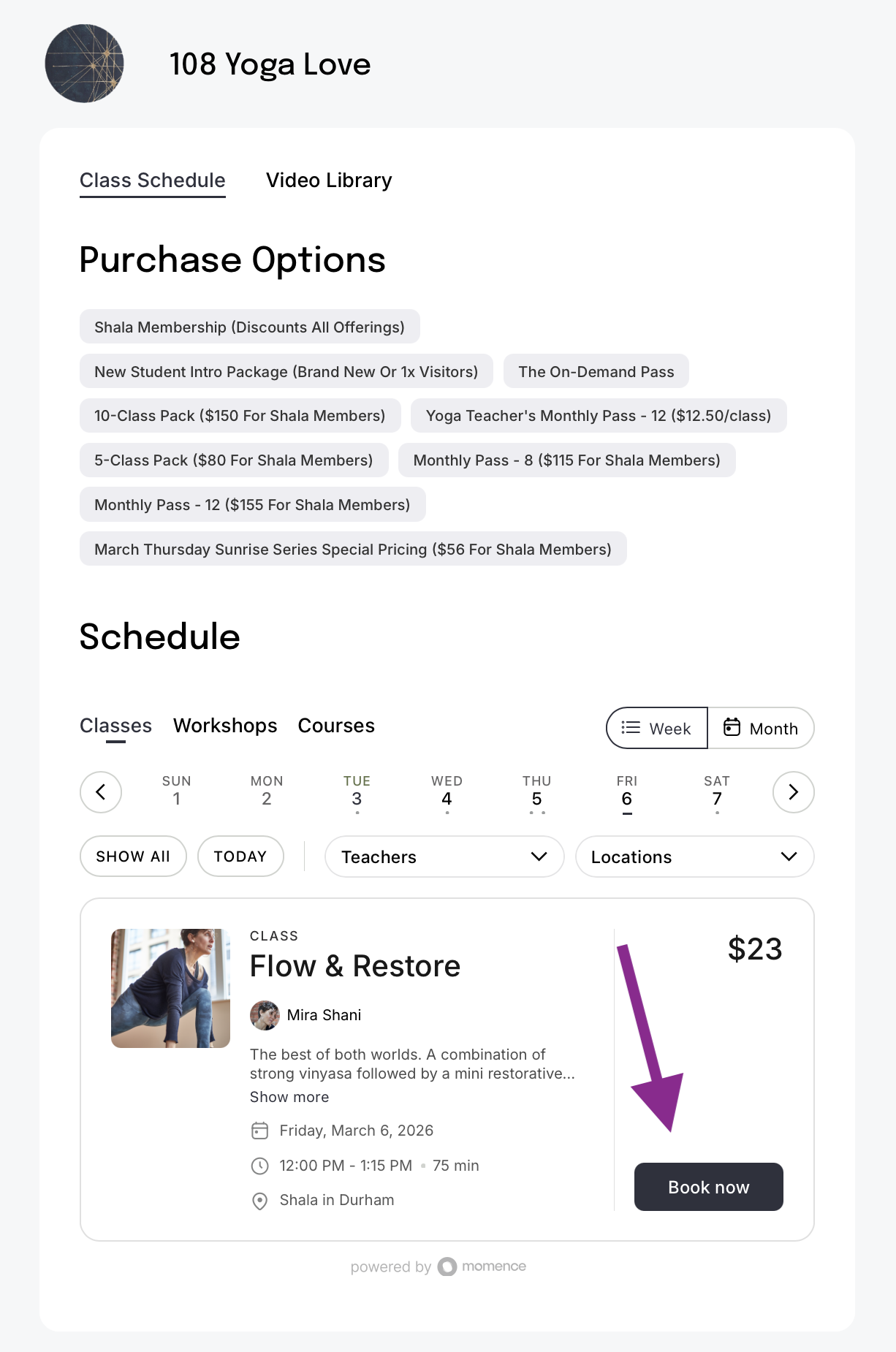
Step 2: Find the class you would like to book and click “Book now”.
Step 3: Notice that if you have either a class in your subscription OR a roll over credit, you will have the option to choose one of your ‘memberships’.
Step 4: Alternatively, you can choose to “Book without membership”.
Step 5a: Choose “Use my event/appointment credits” to use your Roll Over credit.
Step 5b: Choose “Use my subscription” to use your Monthly Subscription.
Step 6: Booking Confirmed! boOM Shiva!
How to use your roll over credits linked to Monthly passes*
*Click here for Monthly pass Options. (Roll overs process the night OF your subscription expiry.)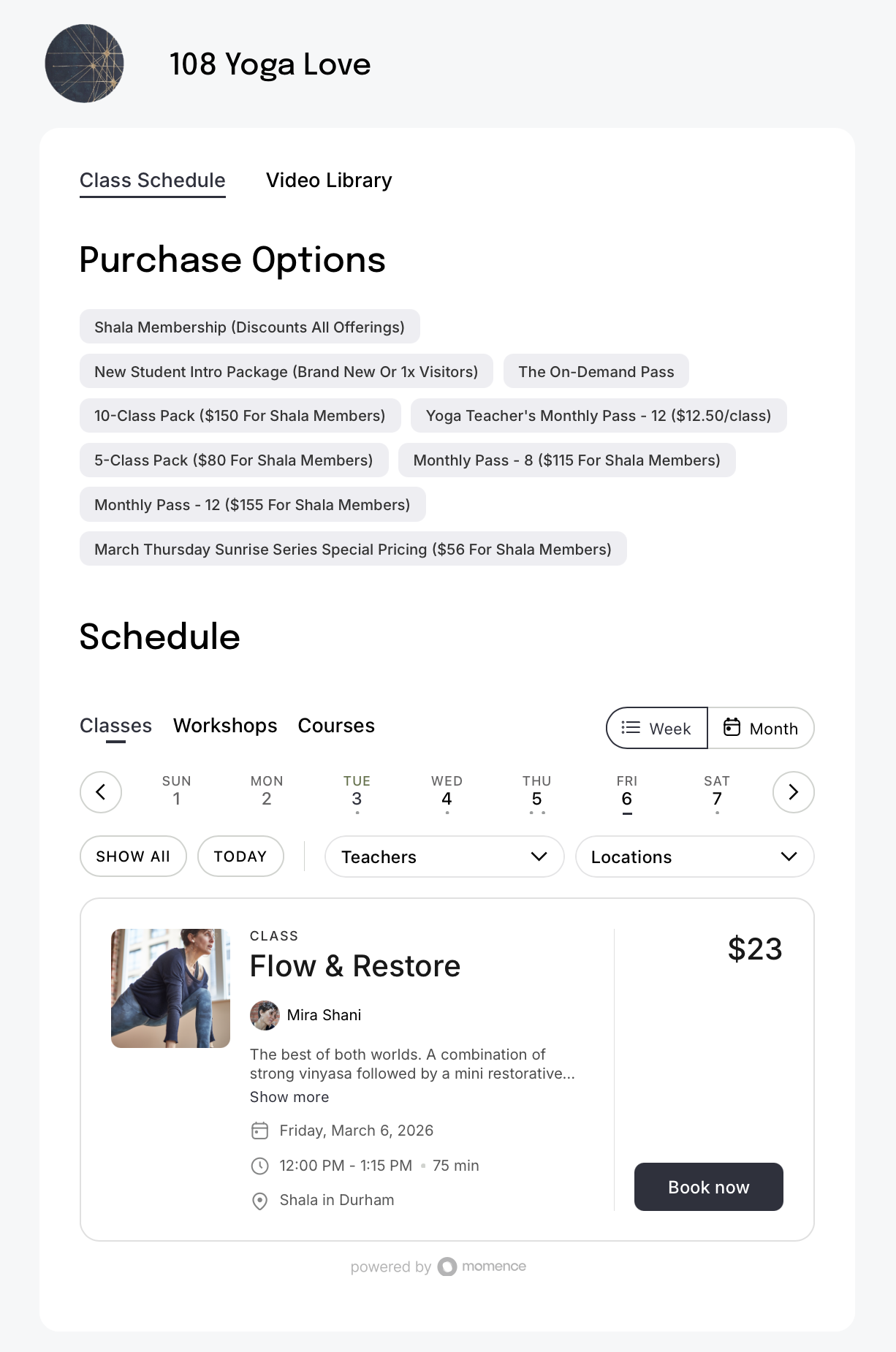
Step 1: Navigate to “Class Schedule”
Step 2: Find the class you would like to book and click “Book now”.
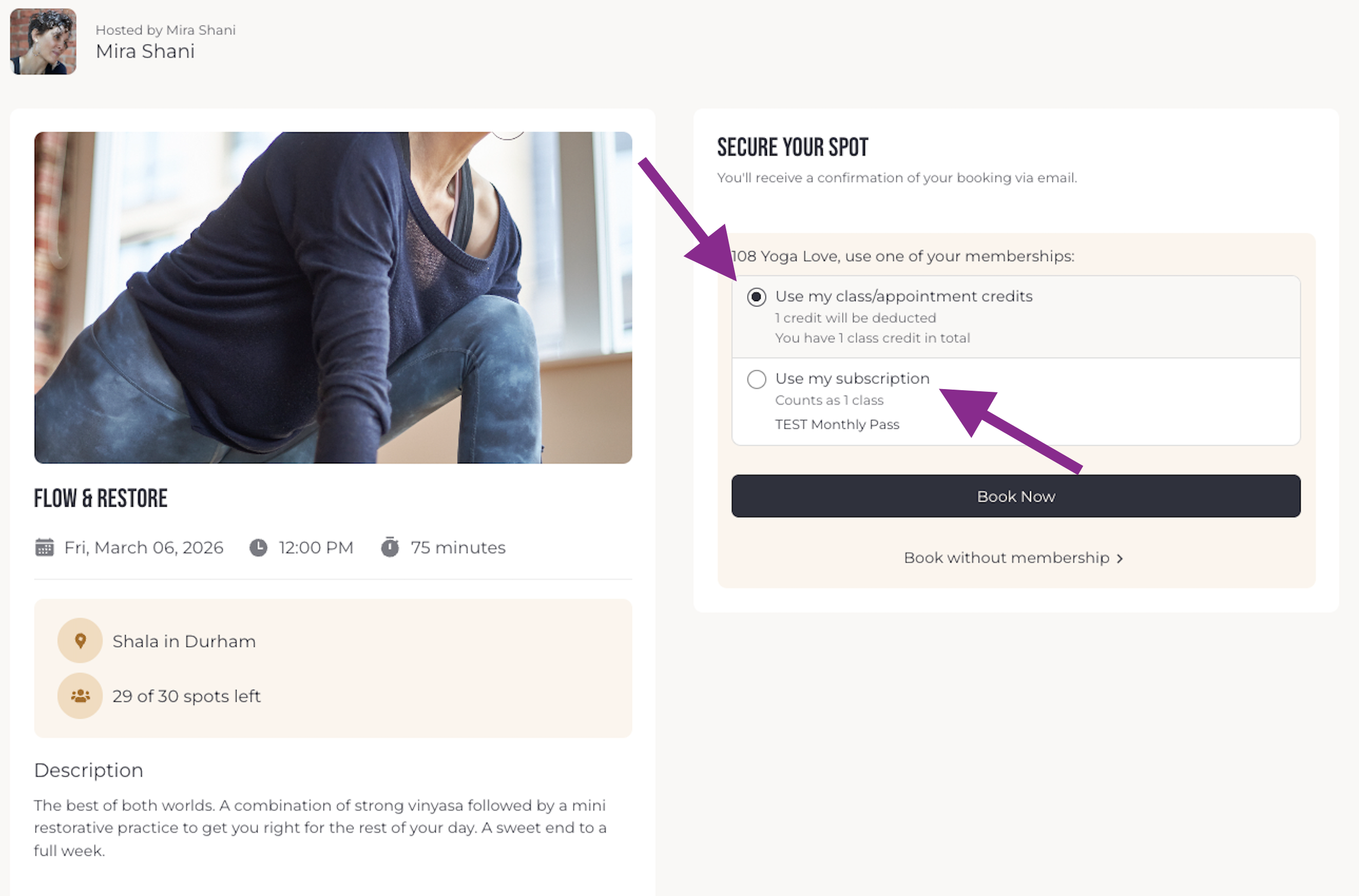
Step 3: Notice that if you have either a class in your subscription OR a roll over credit, you will have the option to choose one of your ‘memberships’.
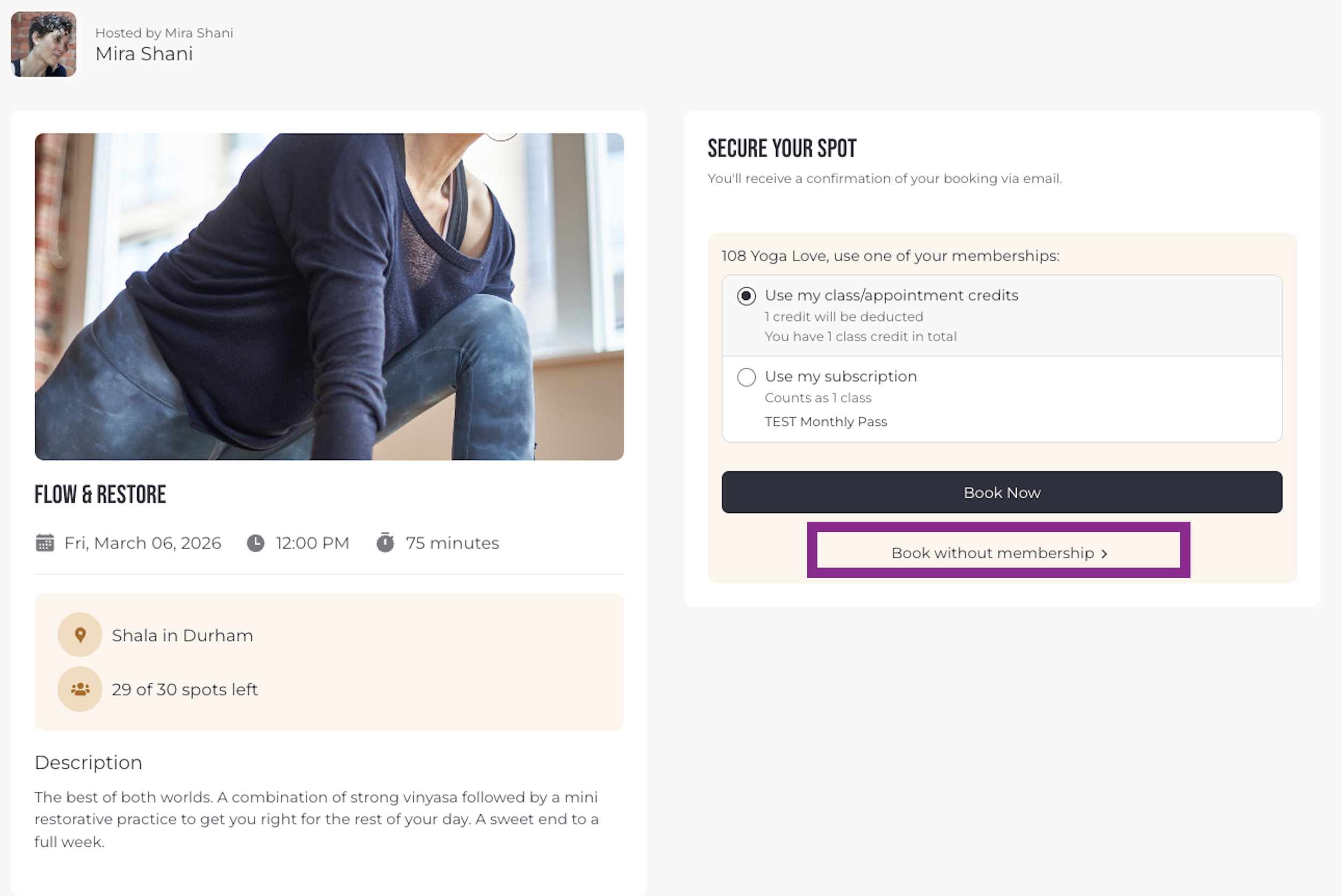
Step 4: Alternatively, you can choose to “Book without membership”.
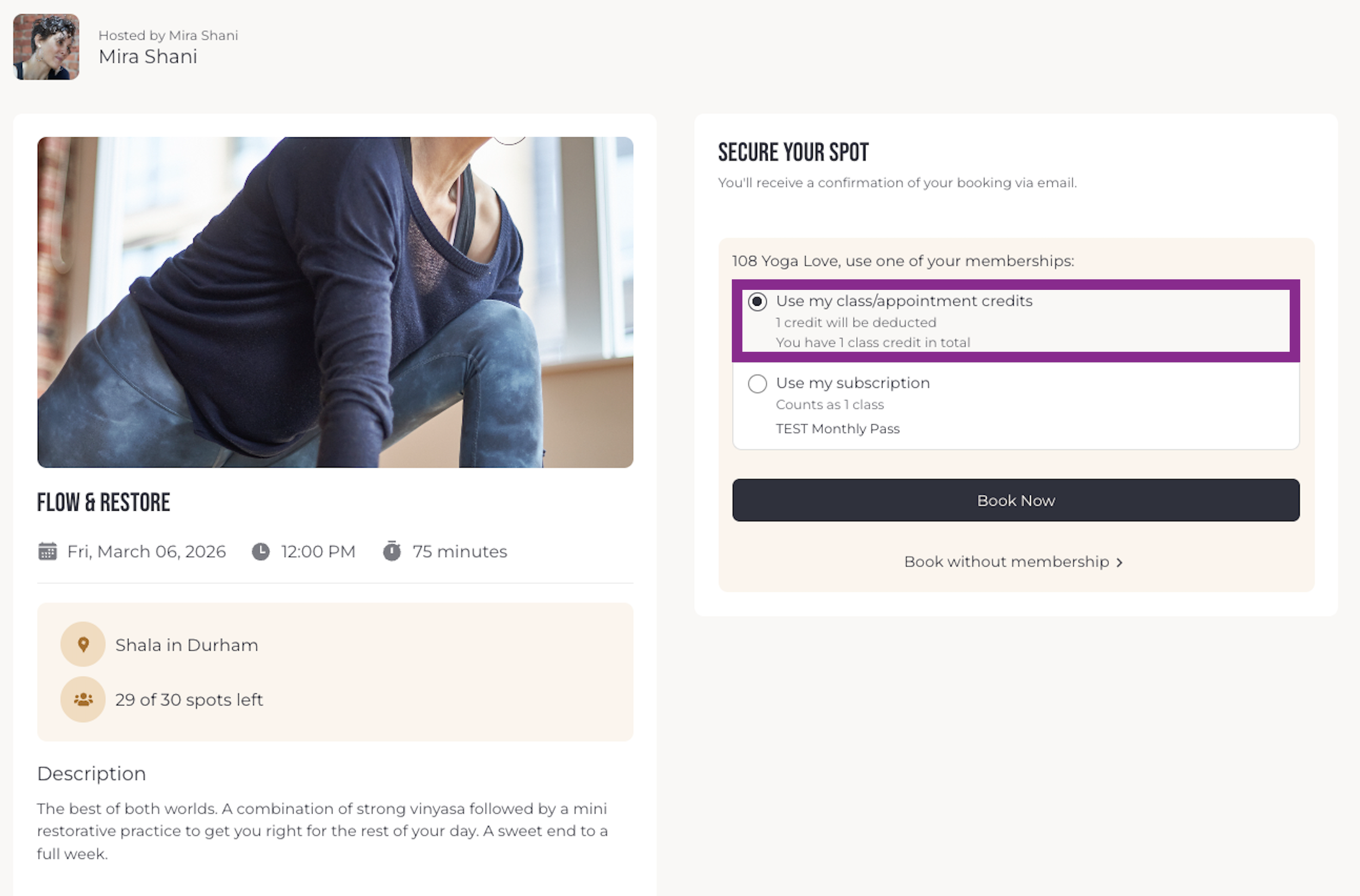
Step 5a: Choose “Use my event/appointment credits” to use your Roll Over credit.
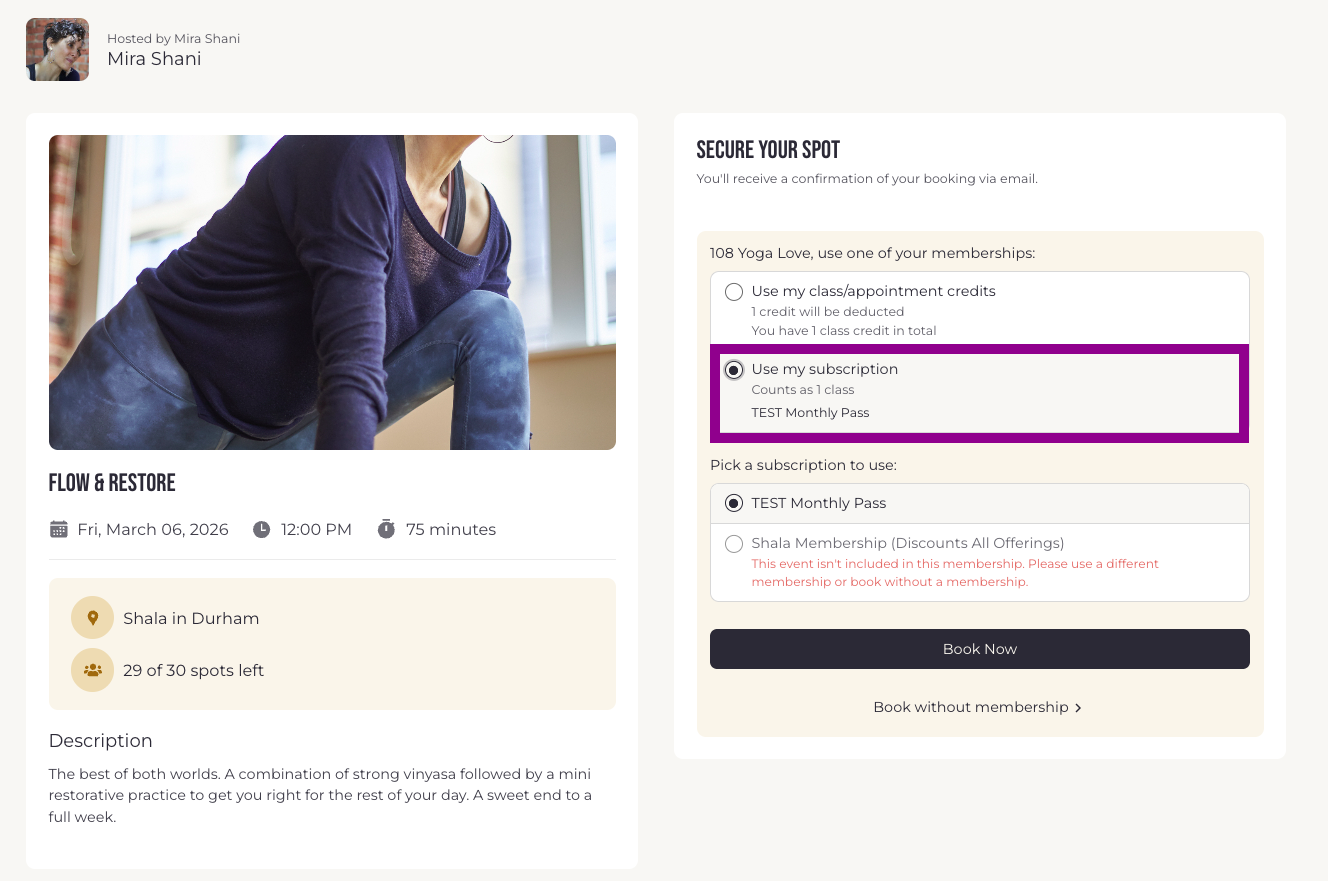
Step 5b: Choose “Use my subscription” to use your Monthly Subscription.
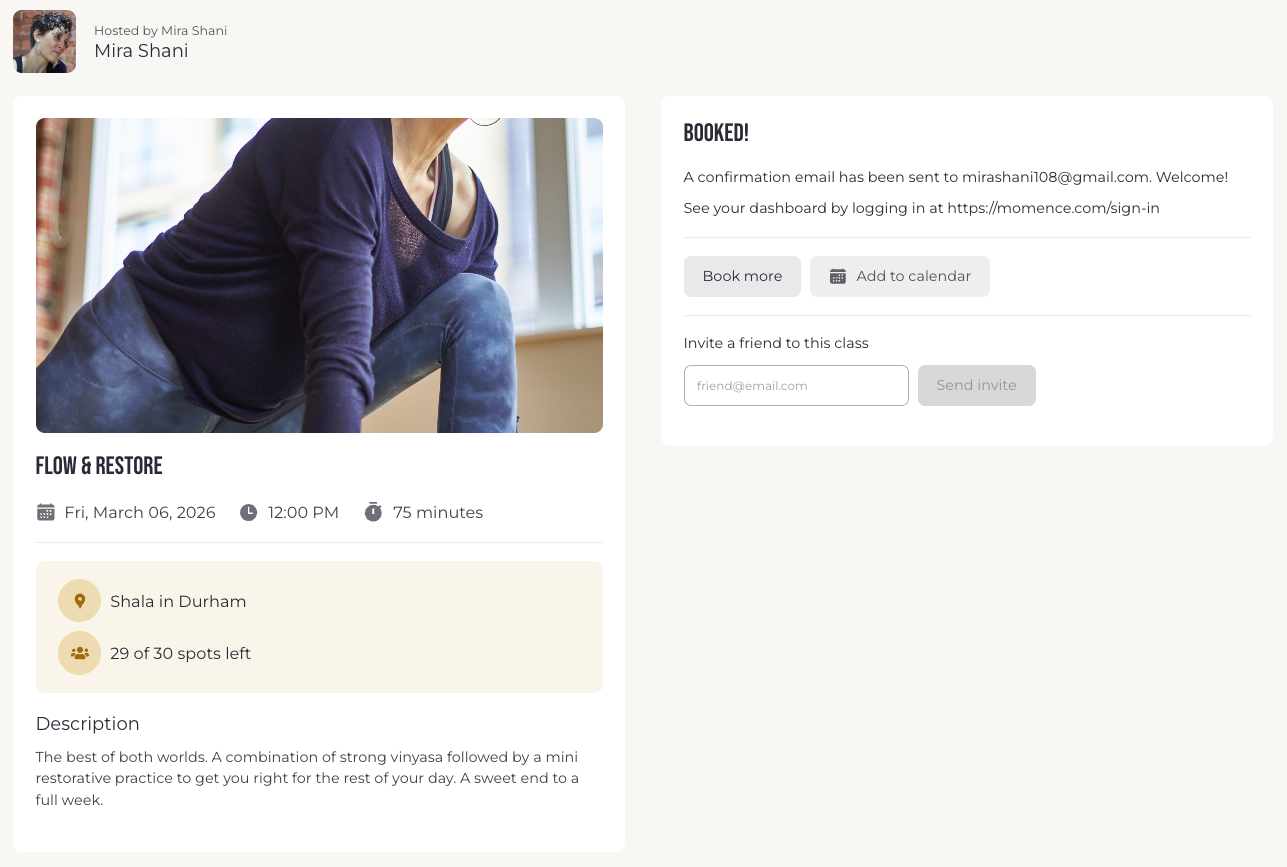
Step 6: Booking Confirmed! boOM Shiva!
How to USE YOUR ROLL OVER Credits from your Phone App
Be sure you are logged into Momence.
Step 1 : Navigate to “ Classes”.
Step 2: Find the class you would like to book and click “Book now”
Step 3: Notice that if you have either a class in your subscription OR a roll over credit, you will have the option to choose as you like from your Payment method under ‘Memberships’.
Step 4a: If you prefer to use your Subscription, toggle ‘Memberships’—>’Subscription’.
Step 4b: If you prefer to use your Roll Over Credit, toggle ‘Memberships’—>Credits’.
Step 5: Booking Confirmed! boOM Shiva!
Step 1: Navigate to “ Classes”.
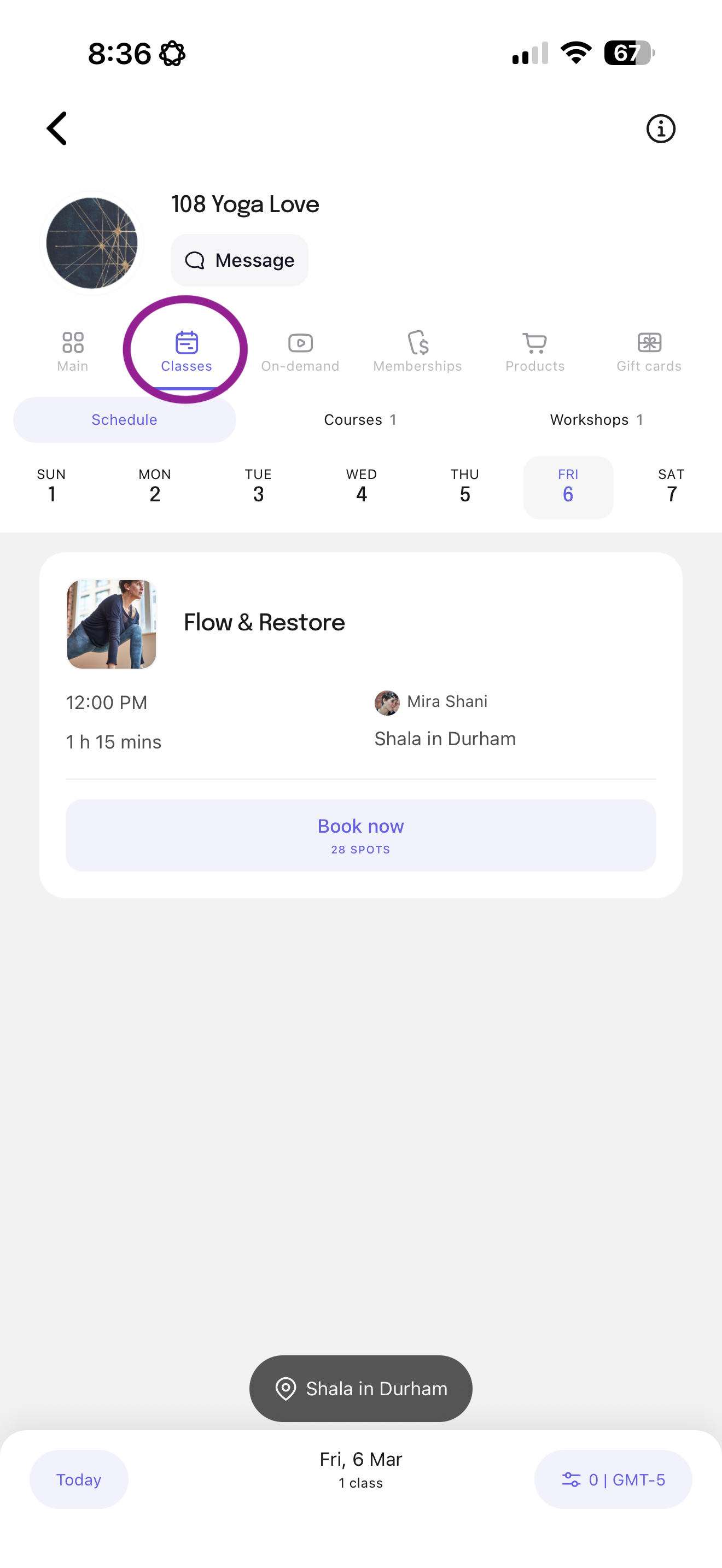
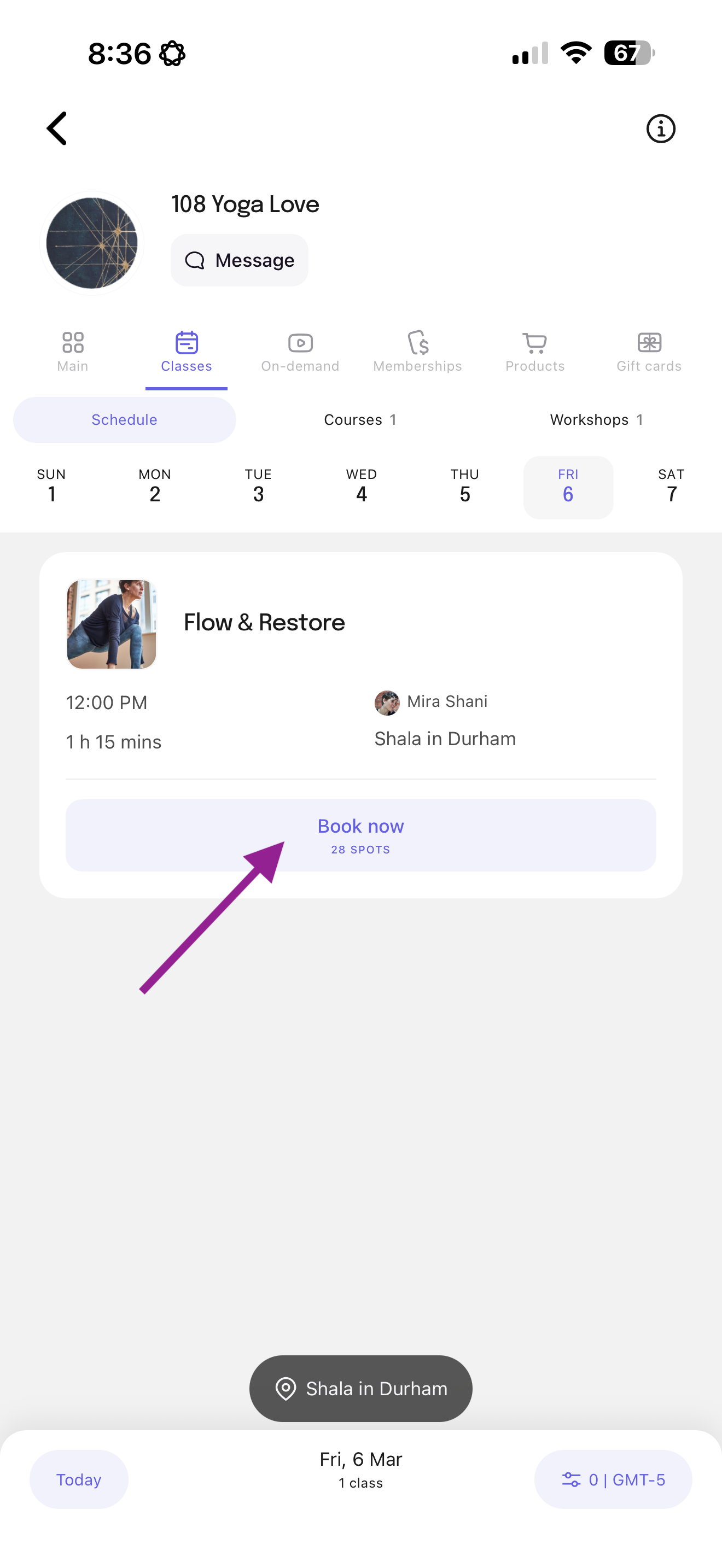
Step 2: Find the class you would like to book & click the “Book now”.
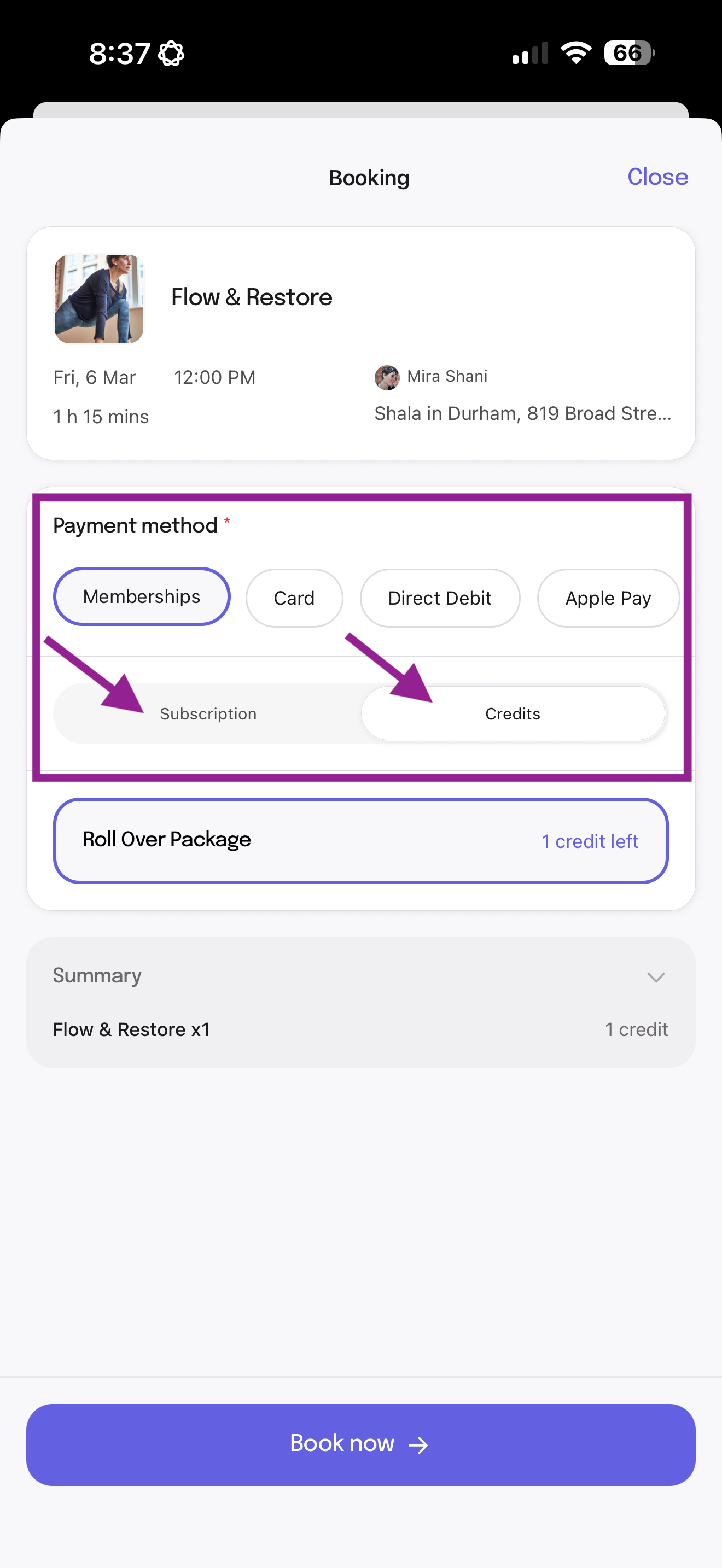
Step 3: Notice that if you have either a class in your subscription OR a roll over credit, you will have the option to choose one of your ‘memberships’.
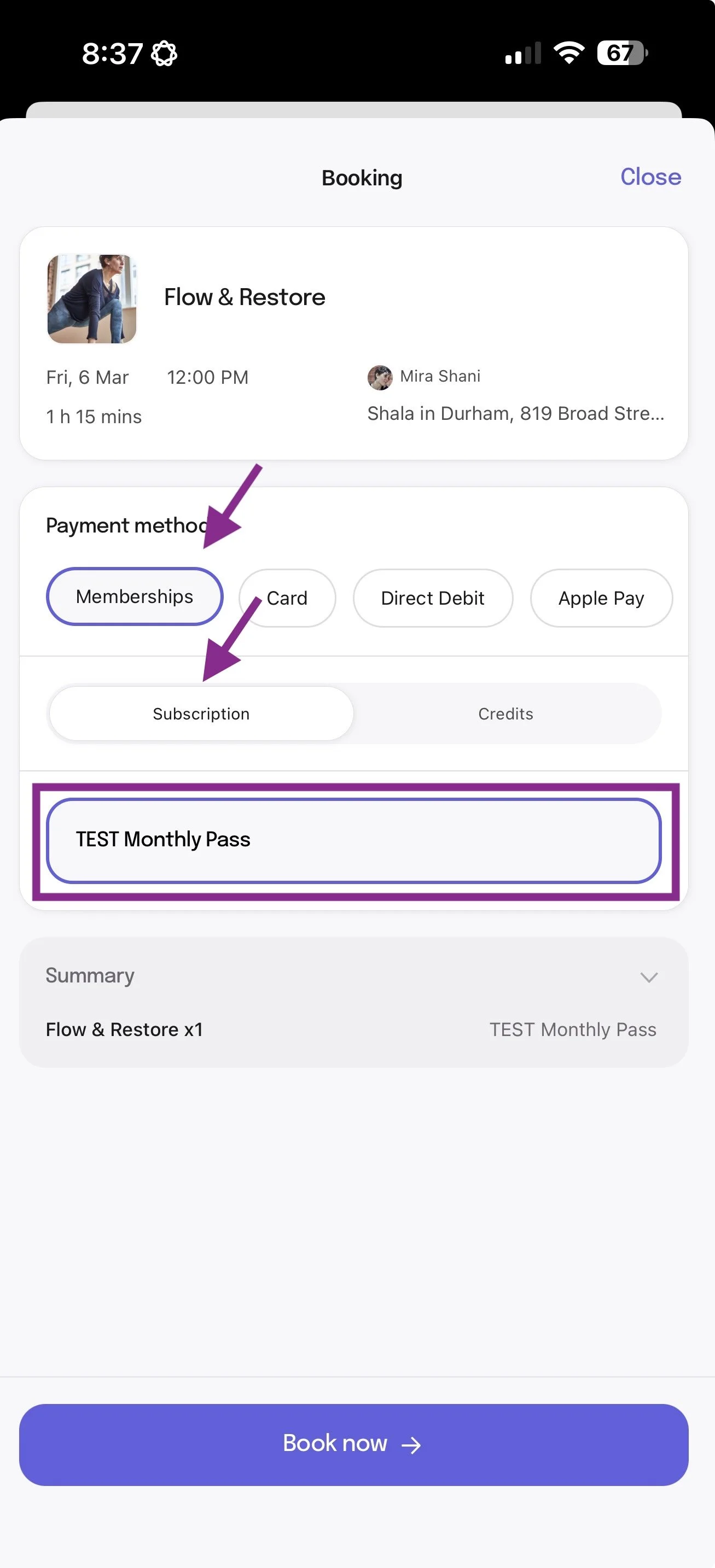
Step 4a: If you prefer to use your Subscription, toggle ‘Memberships’—>’Subscription’.
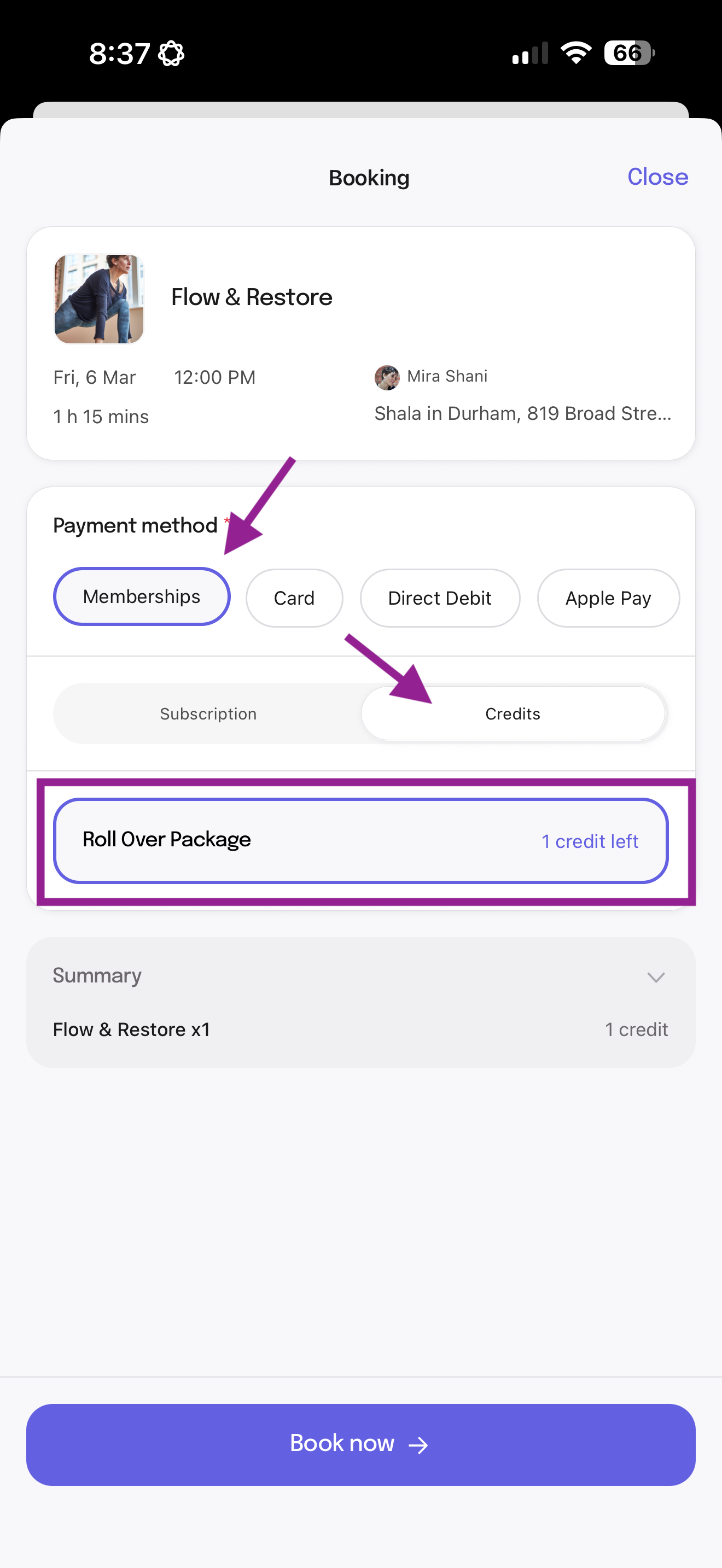
Step 4b: If you prefer to use your Roll Over Credit, toggle ‘Memberships’—>Credits’.
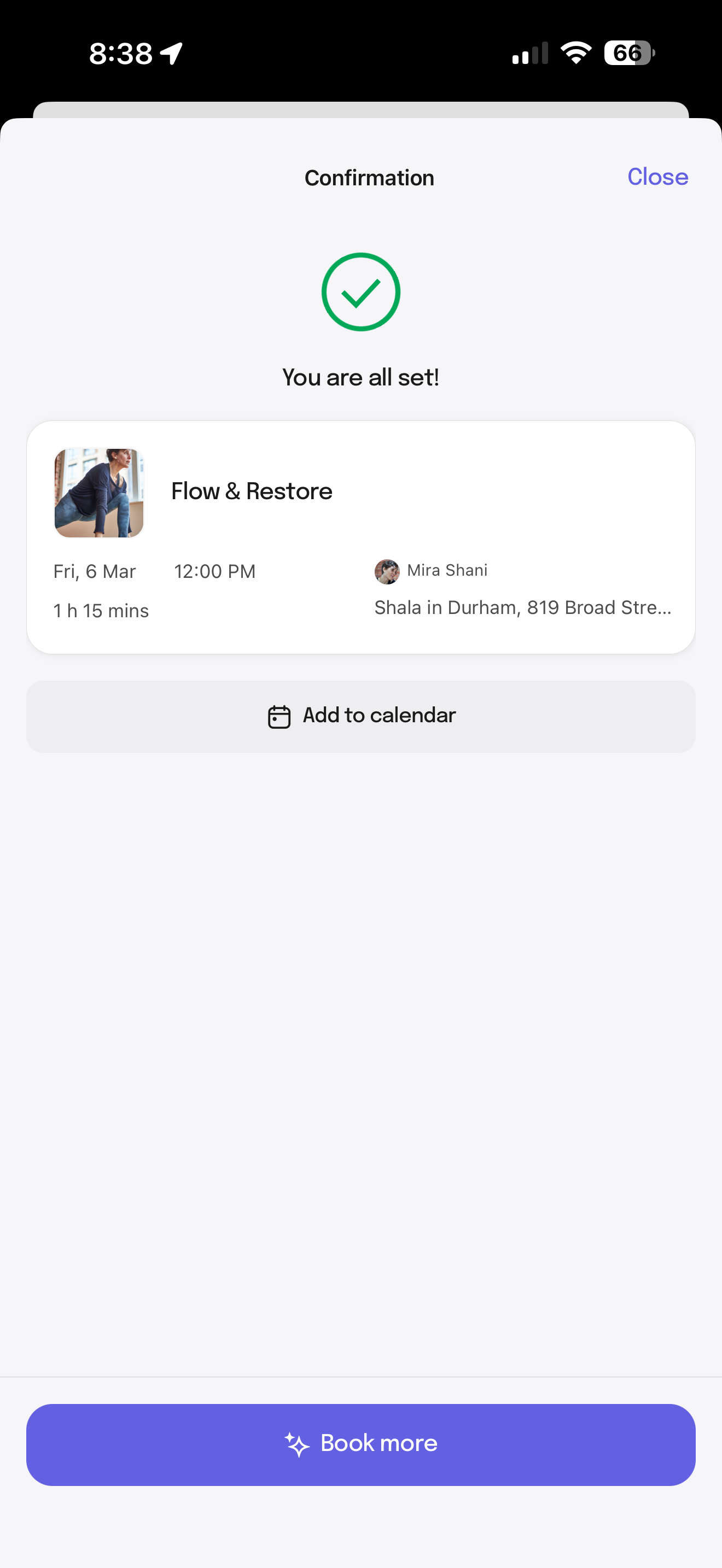
Step 5: Booking Confirmed! boOM Shiva!