Cancellation Instructions
*Click here for our cancellation policy.
How to cancel a class
Class
How to cancel from your computer internet browser
Be sure you are logged into Momence.
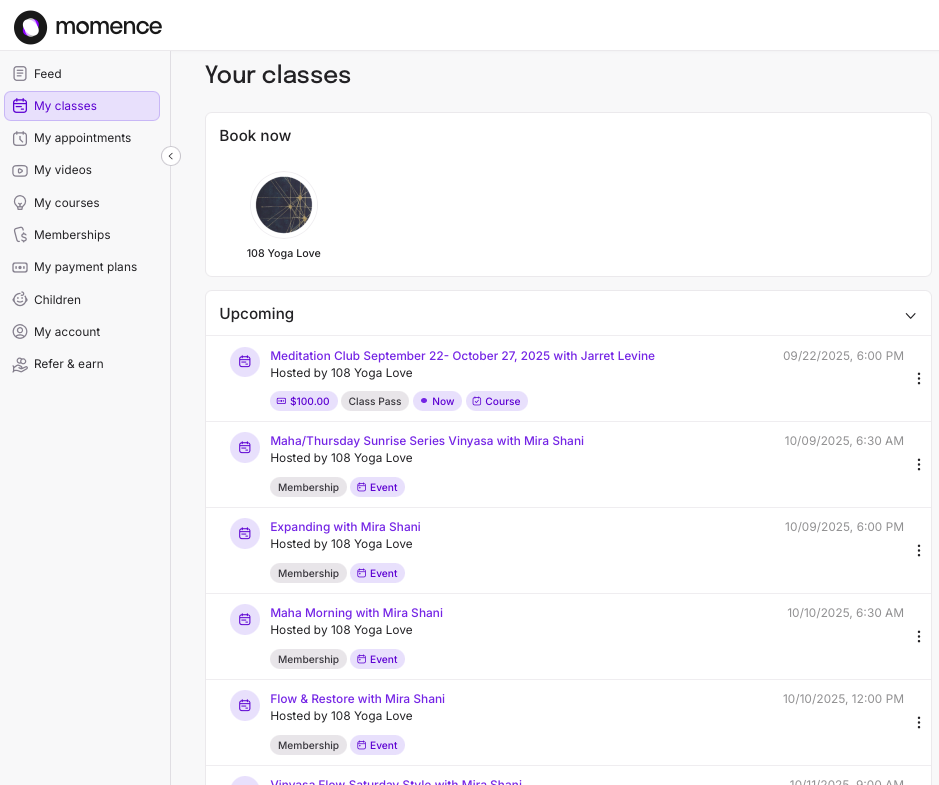
Step 1 : Navigate to “Your Classes”.
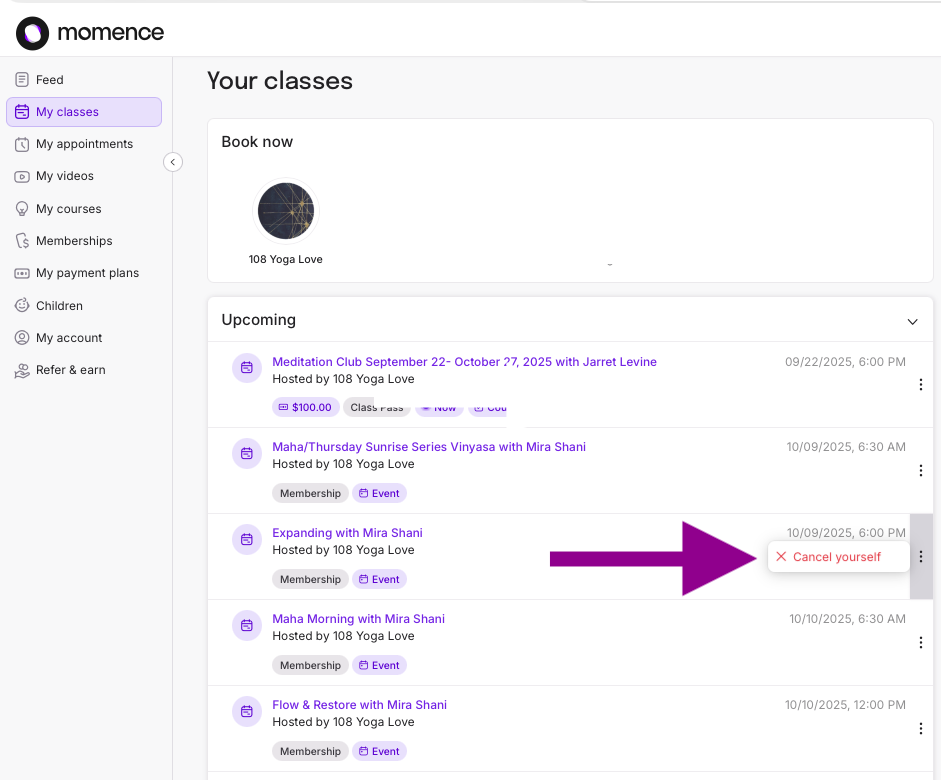
Step 2: Find the class you would like to cancel and click the 3 vertical dots to the right. Choose “Cancel yourself.”
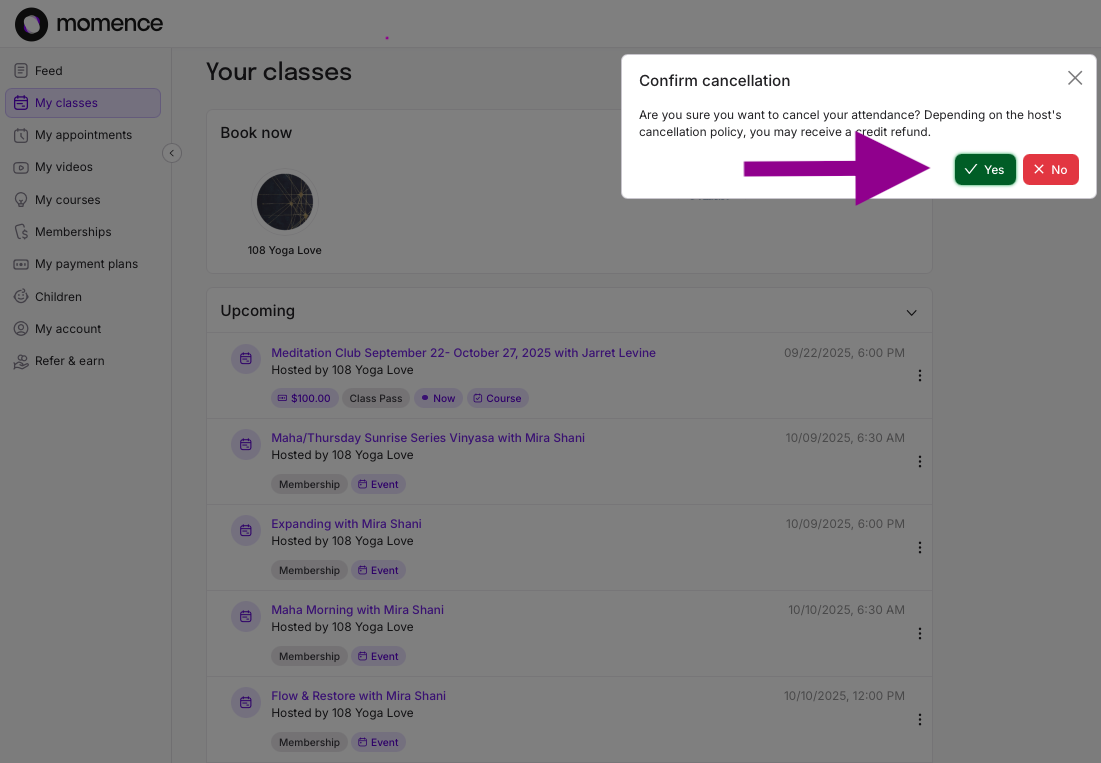
Step 3: Click “Yes” in the pop-up.
Step 4: A green confirmation indicator will pop up.
Step 1: Navigate to “Your Classes”
Step 2: Find the class you would like to cancel and click the 3 vertical dots to the right. choose “Cancel yourself.”
Step 3: Click “Yes” in pop-up.
Step 4: A green confirmation indicator will pop up.

How to cancel an auto-renewing subscription
Renewal
How to cancel from your Phone App
Be sure you are logged into Momence.
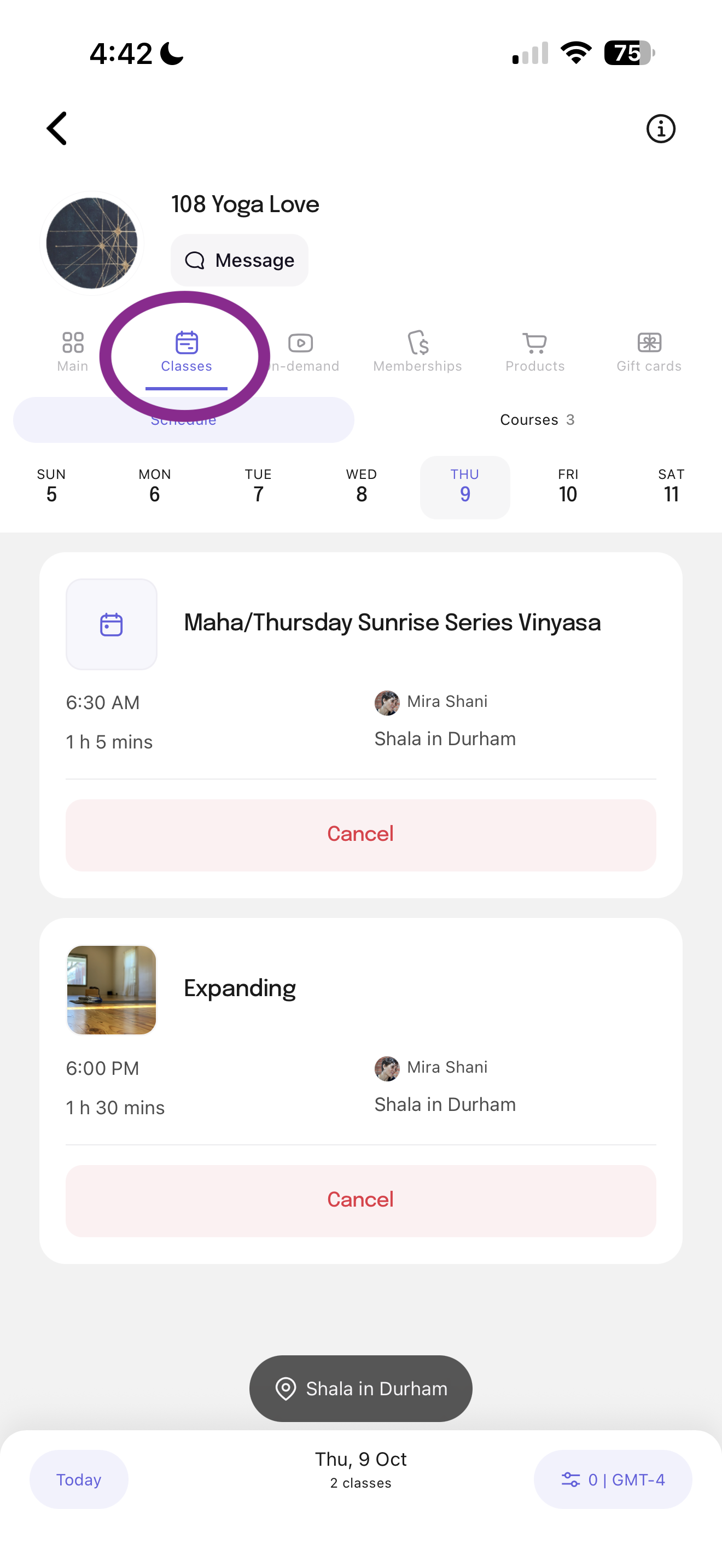
Step 1 : Navigate to “ Your Classes”.
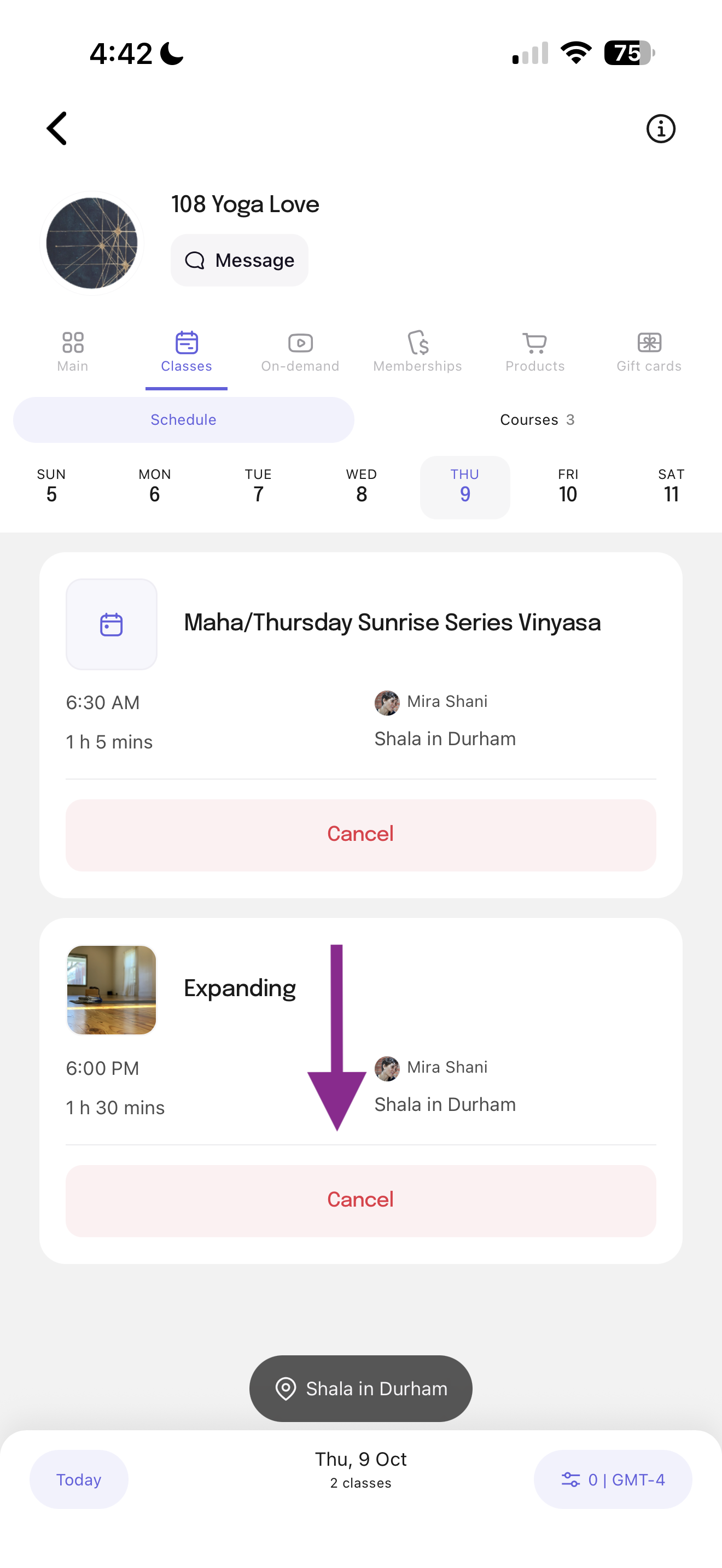
Step 2: Find the class you would like to cancel and click “Cancel”
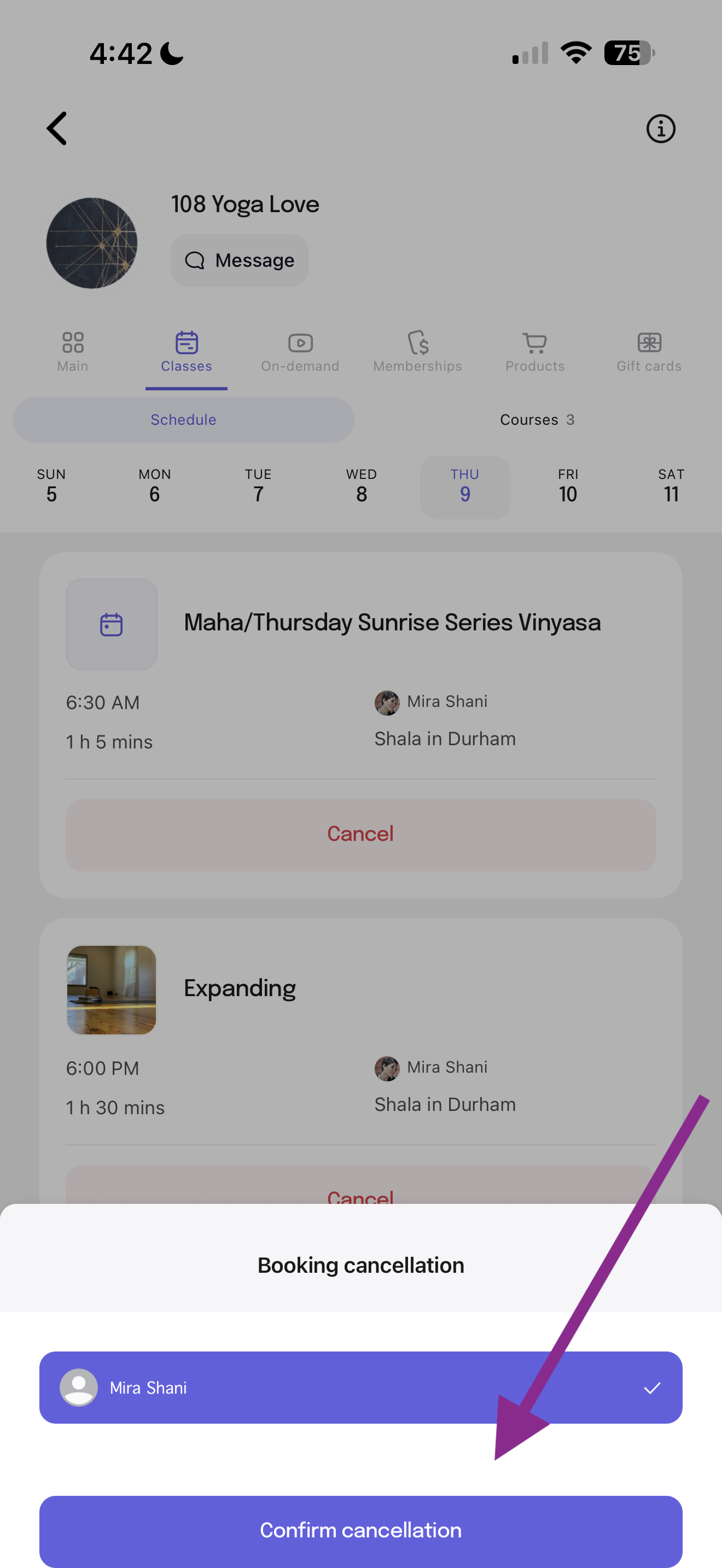
Step 3: Click the “Confirm cancellation” pop-up.
Step 1: Navigate to “Your Classes”
Step 2: Find the class you would like to cancel & click the “Cancel”
Step 3: Confirm by clicking “Confirm cancellation” in pop-up.
How to cancel from your computer internet browser
Be sure you are logged into Momence.
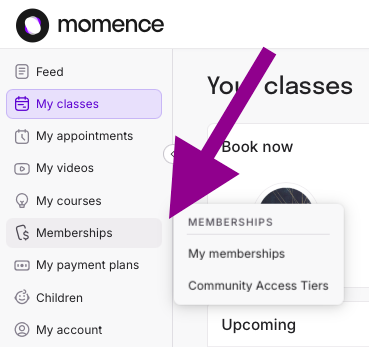
Step 1 : Navigate to “Memberships”.
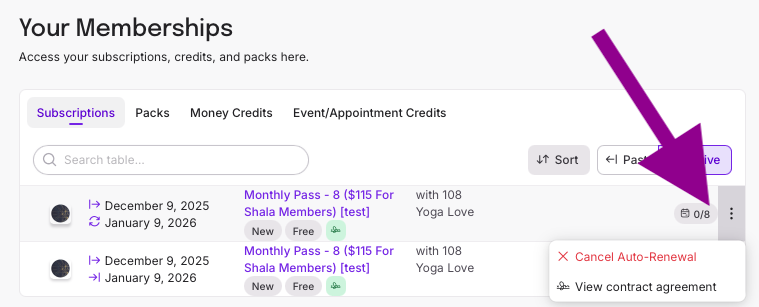
Step 2: Find the membership you would like to cancel and click the 3 vertical dots to the right. Choose “Cancel Auto-Renewal.”
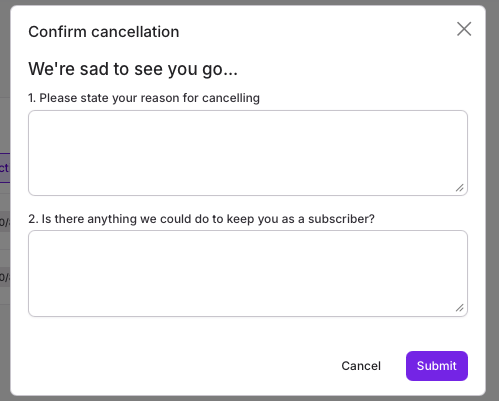
Step 3: Answer these questions & click Submit. We really grow from your feedback and appreciate your response.
Step 1: Navigate to “Memberships”.
How to cancel from your Phone App
Be sure you are logged into Momence.
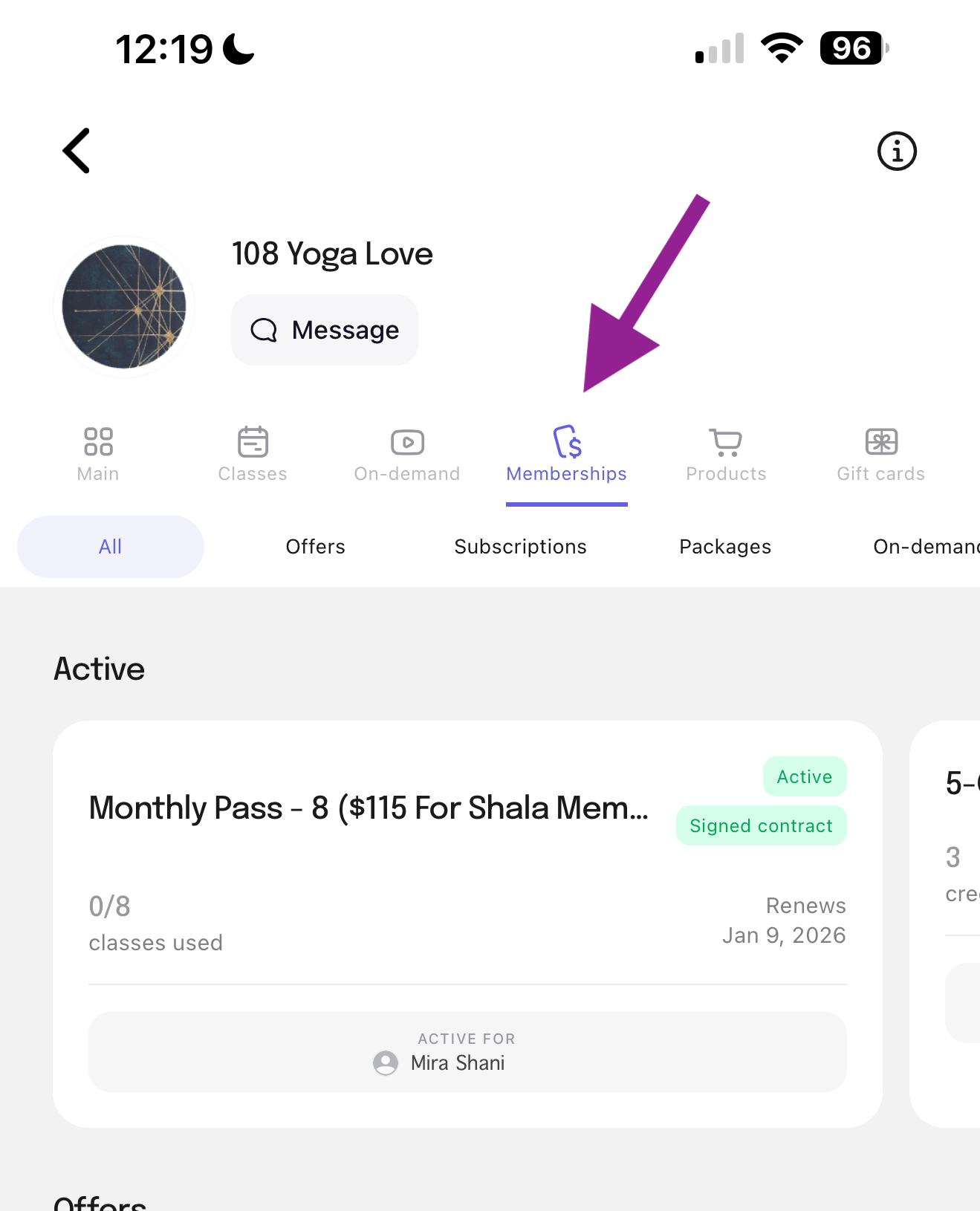
Step 1 : Navigate to “ Memberships”.
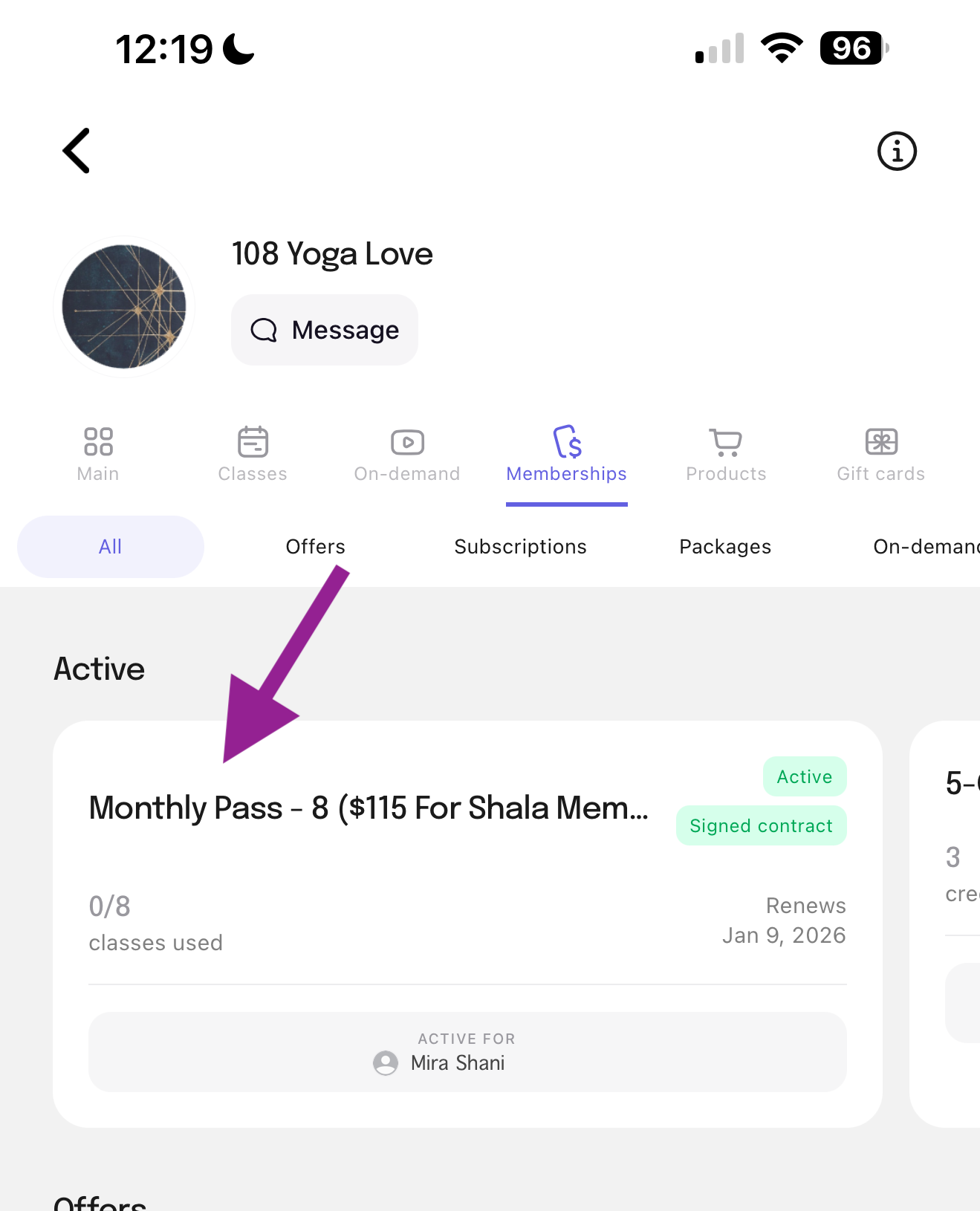
Step 2: Choose the membership you would like to cancel.
Step 3: Scroll to the bottom of “Description” and click “Cancel Renewal”.
Step 4: Answer these questions & click Submit. We really grow from your feedback and appreciate your response.
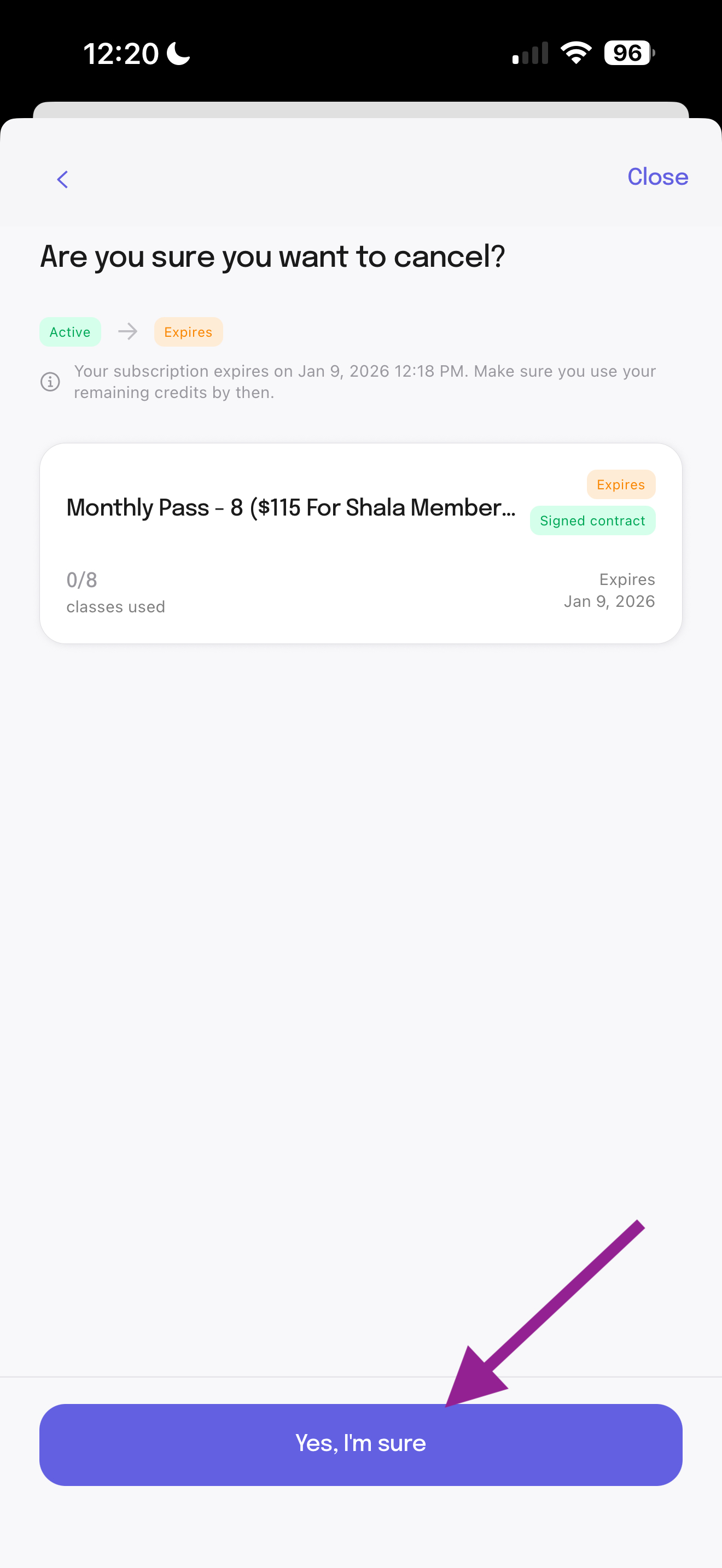
Step 5: Confirm by clicking “Yes, I’m sure”.
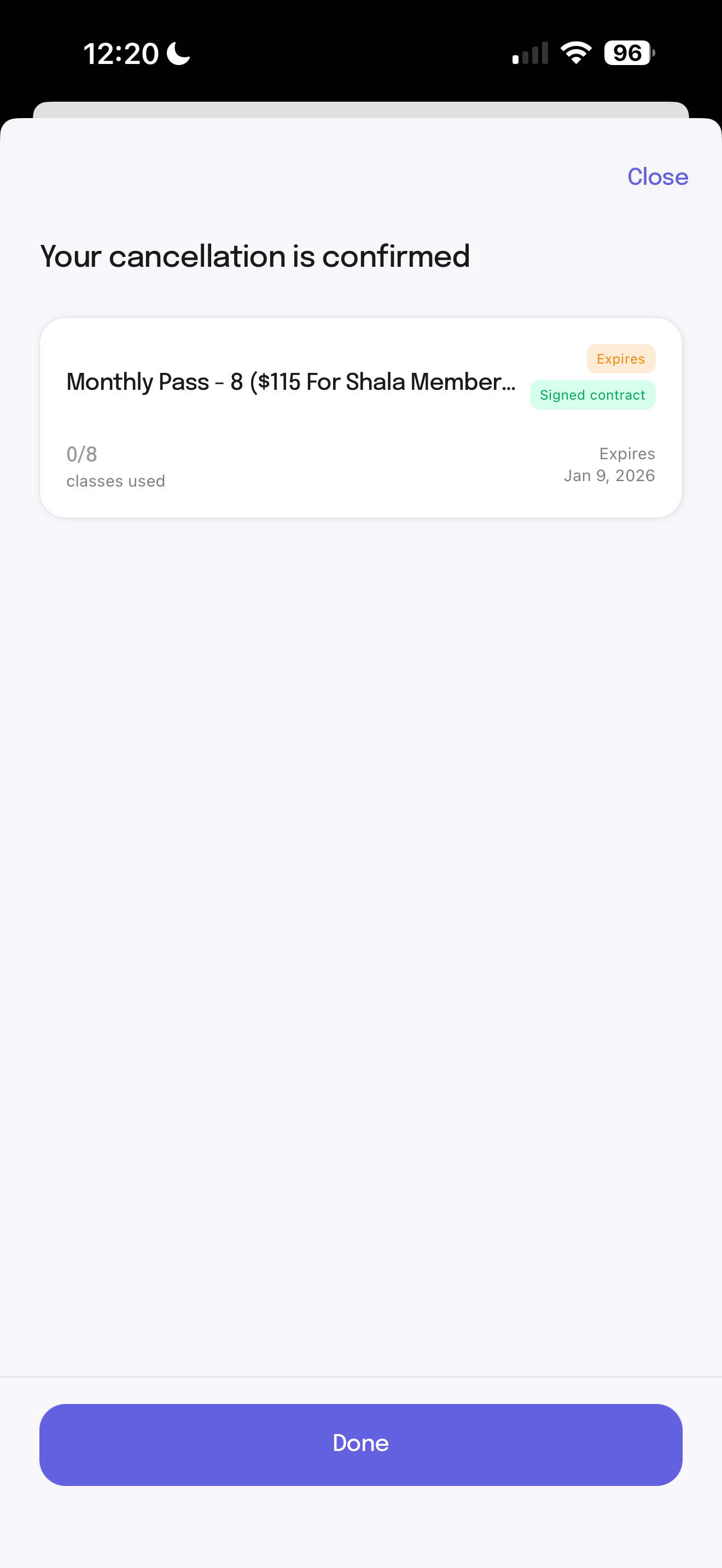
Step 6: Note the Cancellation Confirmation.
Step 2: Find the membership you would like to cancel and click the 3 vertical dots to the right. Choose “Cancel Auto-Renewal.”
Step 3: Answer these questions & click Submit. We really grow from your feedback and appreciate your response.
Step 1: Navigate to “Memberships”.
Step 2: Choose the membership you would like to cancel.
Step 3: Scroll to the bottom of “Description” and click “Cancel Renewal”.
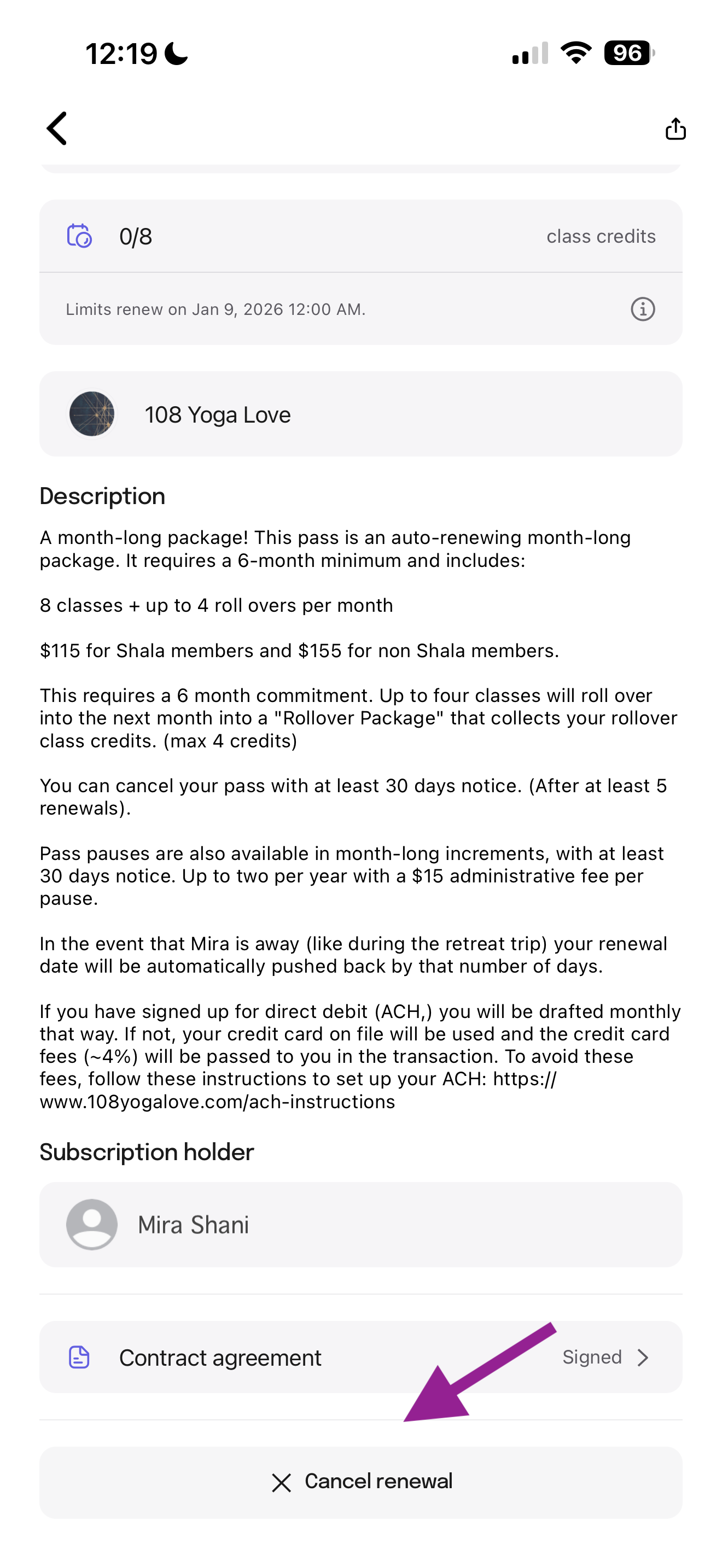
Step 4: Answer these questions & click Submit. We really grow from your feedback and appreciate your response.
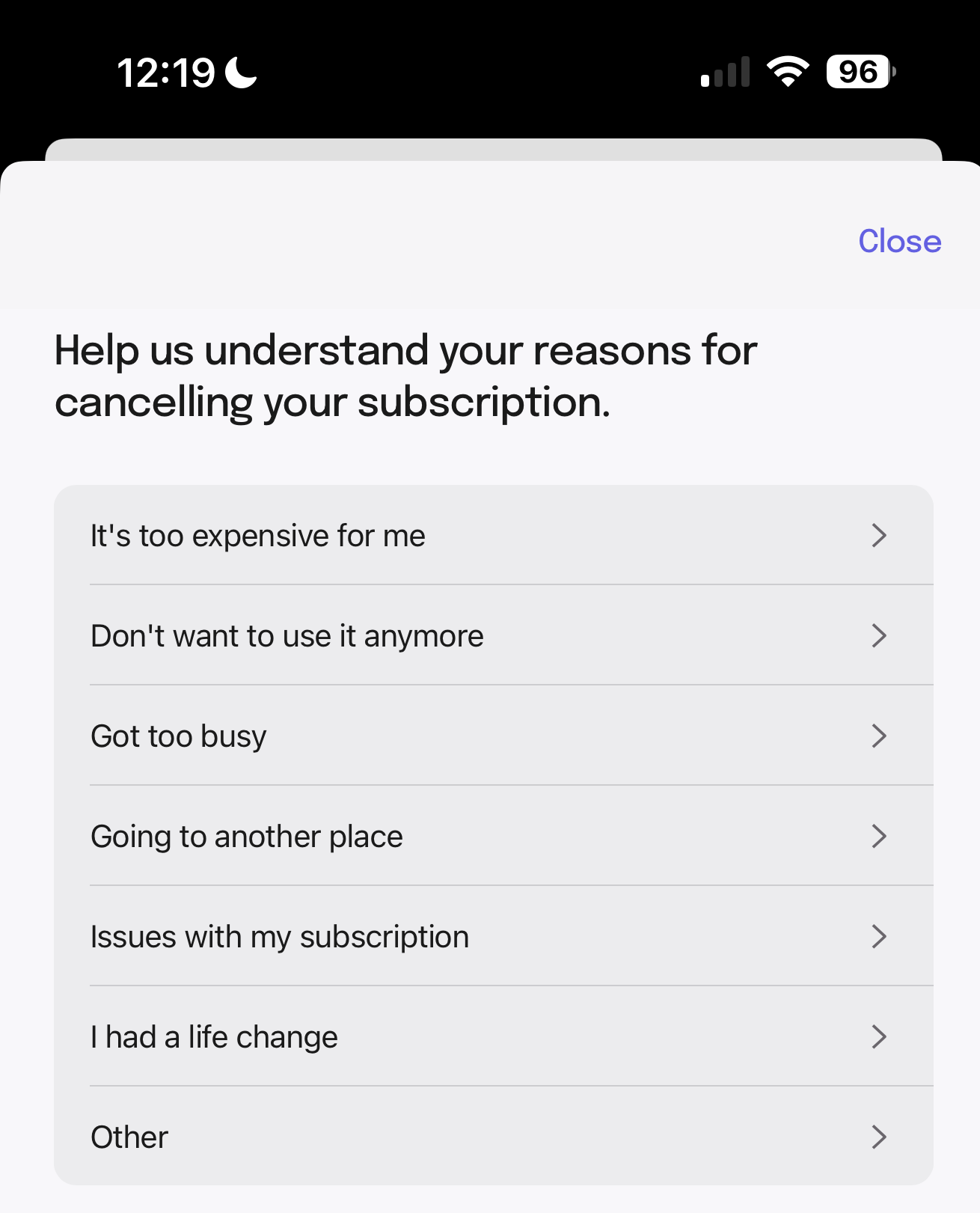
Step 5: Confirm by clicking “Yes, I’m sure”.
Step 6: Note the Cancellation Confirmation.